PROLiNK WN2200 Wireless-N 802.11n Wireless USB Adapter is my new USB WiFi module for my dream system. My supplier gave me Wireless-N version instead of G version that matches my wireless router. Does it improve the connection with Wireless-N standard?
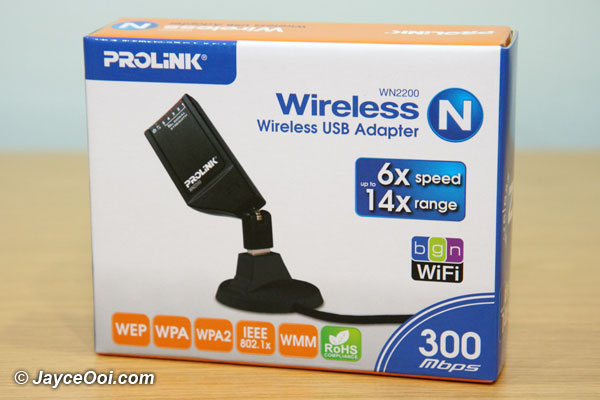
PROLiNK WN2200 Wireless-N 802.11n Wireless USB Adapter
Specifications
Standard Network
- IEEE 802.11b/g/n draft standard compliant USB 2.0
- Internal fix antenna (2dBi) x 2, 2T2R (2 Transmitters & 2 Receivers)
Security
- Wired Equivalent Privacy (WEP) 64-bit, 128-bit shared-key encryption
- WiFi Protected Access™ (WPA2-PSK, WPA-PSK), Wi-Fi Protected Setup (WPS)
Functions
- Supports Wi-Fi Multimedia™ (WMM) based Quality of Service (QoS)
- Coverage Area: Up to 14 times (14x) than existing 802.11b/g
- Frequency Range: 2.400 ~ 2.4835 GHz, Wireless-N 20MHz / 40MHz
- Dual-Bandwidth Wireless-N 20MHz / 40MHz
Operating Channel
- USA and Canada: 11
- Most European Countries: 13
- Japan: 14
Wireless Data Rate
- 802.11b: 1, 2, 5.5, 11Mbps
- 802.11g: 6, 9, 12, 18, 24, 36, 48, 54Mbps
- 802.11n: up to 300Mbps
Transmit Power (EIRP)
- 802.11b: 15+/-1.5dBm @ normal temp
- 802.11g: 16+/-1.5dBm @ normal temp
- 802.11n: 16+/-1.5dBm @ normal temp
Receiver Sensivity
- 11Mbps @ -88dBm
- 54Mbps @ -73dBm
- 300Mbps @ -67dBm
Physical, Environment Specifications
- Dimensions: 177.5 x 130 x 35 mm
- Weight: 0.399 kg
- Power Requirement: 5V-DC
- Temperature: 0°C ~ 45°C (Operating); -20°C ~ 70°C (Storage)
- Humidity: 10% ~ 90% Non-Condensing (Operating); 5% ~ 90% Non-Condensing (Storage)
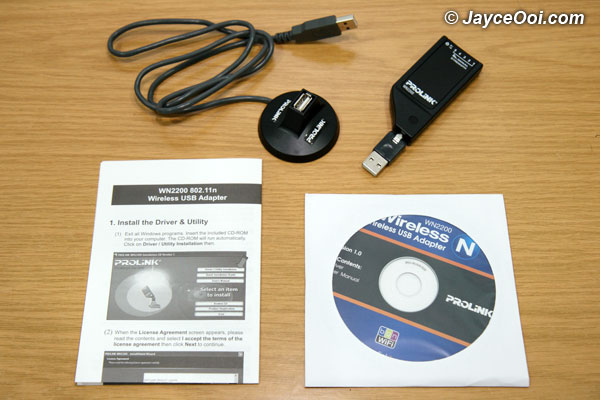
Package contents
Package Contents
- PROLiNK WN2200 Wireless-N USB Adapter
- Driver and User Manual CD
- USB Cable
- Quick Installation Guide (QIG)
- Mini USB cradle
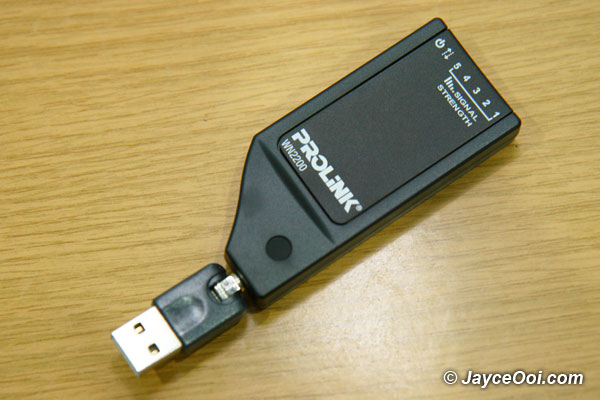
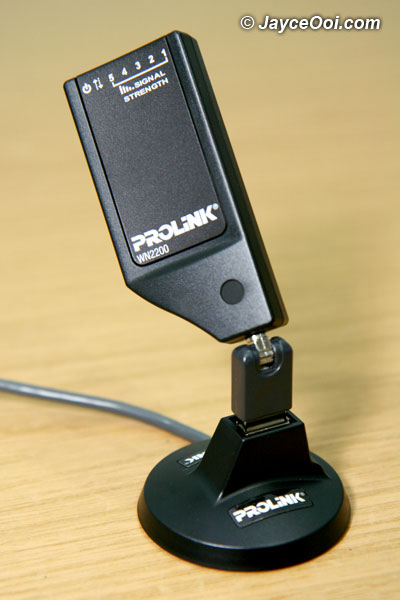
Wireless USB Adapter

Wireless USB Adapter with Mini USB cradle
Share and Enjoy:
These icons link to social bookmarking sites where readers can share and discover new web pages.
Tags: 802.11n, Adapter, Preview, PROLINK, USB, Wireless, Wireless-N, WN2200
9 Responses
Ah Hong
November 30th, 2008 at 10:42 am
1Brader, you upgrading your home PC become super computer issit…haha
So many new equipment you bought, can snap the photo of your new super computer ah…real curious leh
Wing Loon
November 30th, 2008 at 11:22 am
2Cool, have 2 antenna…but 2dbi only. If 5dbi, I will get it…
Jayce
November 30th, 2008 at 9:49 pm
3@Ah Hong: I already posted most of them. Just look at the previous posts.
@Wing Loon: dbi? A new term for me. Need to find out more about it.
eunice
December 1st, 2008 at 2:37 am
4Cool.. dunno much about routers but I am using one from Linksys. It comes with my cable subscription.
Jayce
December 1st, 2008 at 9:04 am
5Cool… I prefer Linksys router than others.
Norhafidz
December 1st, 2008 at 9:58 am
6I’m not a technology man, but that stuff looks fabulous
Jayce
December 1st, 2008 at 10:00 am
7It kinda big for notebook usage. But work fine with desktop.
donkey
December 2nd, 2008 at 7:48 am
8WOW! Again it’s plagiarised word for word from the manufacturer’s site. Do u ever write any of your own stuff. LAME!
http://www.prolink2u.com/new/products/index.php?cid=40
Jayce
December 2nd, 2008 at 8:45 am
9Hmm… I don’t think that I can change the specifications and package contents of this PROLiNK WN2200 Wireless-N 802.11n Wireless USB Adapter.
What else should I put then? Please advise. Thanks.
RSS feed for comments on this post · TrackBack URI
Leave a reply
Categories
Archives
Chat Chat Chat...
SP Blogger
Isabell Online Penang Florist
Recent Entries
Recent Comments
Top Commentators
Jayce Ooi’s Paradise is proudly powered by WordPress - All rights reserved ~ Privacy ~ Disclosure Policy ~ sitemap.xml
Jayce Ooi's Paradise ~ i-City Portal ~ Pretty Girl 2 u ~ SP Blogger ~ Forum at JayceOoi.com