










Yeah… I love overclocking. I overclock my Intel Core2 Quad X9650 Extreme CPU to 3.6GHz. And will overclock my HTC HD2 now too. From 1GHz Qualcomm Snapdragon processor to 4300 GHz.
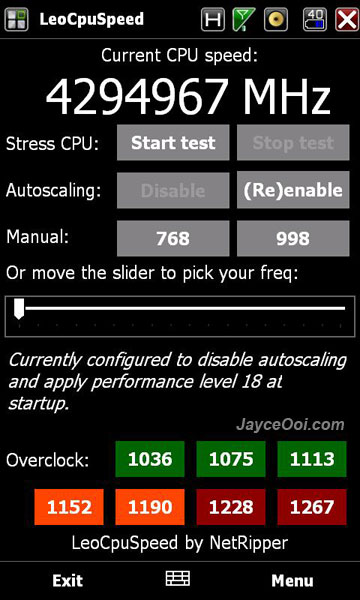
LeoCpuSpeed Features
- Updates CPU speed every half second (calculated from the processor registered directly! not from some driver)
- Can stress the CPU to show you that it goes up to 998mhz when it is at 768mhz
- Disable autoscaling so that you can control the speed yourself
- Select the speed you want by moving the slider or pressing 768/998 presets
- Automatically disable autoscaling and set speed at boot (via menu)
- Overclocking (only works on AC power!)
HTD HD2 CPU seems to be clocked at 768 MHz by default. And it will auto scale to 998 MHz when running power hungry application. However, HTC HD2 CPU autoscaling function does not seem to work properly all the times. I ran some benchmarks with TMCPC. I loaded Iron Man 2 trailer. Here are the results ~ Average Speed.
@768 MHz – 85.65%
@998 MHz – 109.01%
Autoscaling – 88.87%
Surprise? You are not using full power of HTC HD2. Thanks to LeoCpuSpeed from NetRipper. We can have a faster HTC HD2 now. Hmm… How about the battery usage? Just install the app, will test it out for few days to find out. Or try it for yourself.
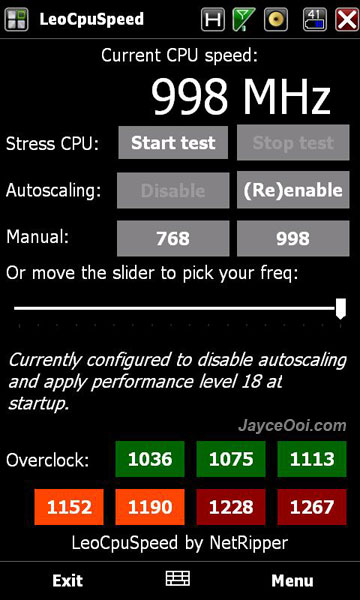
Hehe… You cannot get 4300 GHz (seem like a bug on LeoCpuSpeed or my HTC HD2). Anyway, you can always set HTC HD2 CPU at full speed 998 MHz by disable Autoscaling and select Apply speed at boot on Menu. That’s it.
Download LeoCpuSpeed v3 here.









bit skeptical on this o/clocking.. worried if the CPU is max out all the time what wud be on the battery life or the stability of the system. Could overheating happens and does the board is design to handle that full throttle? curious if any fault happen, does warranty covered?
Let us know the outcome… if all goes fine i’ll surely use it… thanks
Hmm… It is not overclocking the CPU actually by setting it at 998 MHz. That’s what 1GHz Qualcomm Snapdragon processor should be. It sure can handle it. But it does eat more battery based on 2 days of usage. Will keep monitor it…
I’m not a computer geeks but it took me abt 4hrs to get it running into my HTC HD2 in between forum help groups. Tks.