










Google Translator is one of the useful tools that I like. However, it does not support Windows Mobile officially. And only developed for Google own OS ~ Android. However, XDA member, chargedRam created a version of Google Translator for Windows Mobile called Anuvadak (==Translator in Hindi).
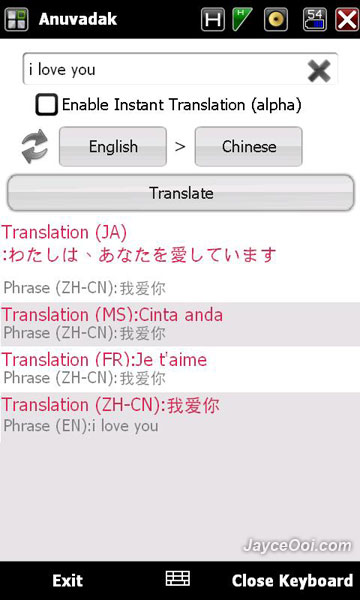
Anuvadak Features
- Attractive UI.
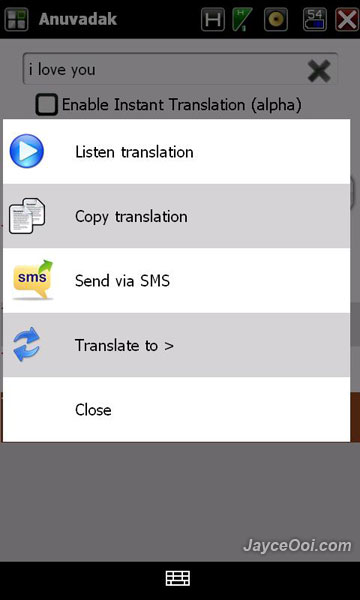
- Text to speech translation enabled.
- Romanization of the all the supported languages. (Beta)
- Copy translation
- Send translation by SMS
- Google like instant translation.
By the way, Internet connection is required to use Anuvadak as it uses Google online translation service. Enjoy…
Download Anuvadak ~ Google Translator for Windows Mobile v1 here.











