










Yeah… I should post this article long time ago. HTC HD2 has lot of custom Android ROMs. But I don’t like most of the ringtones that come along. So how to create custom ringtones, alarms, and notification sounds for Android? The task is as simple as ABC by using Ringdroid. It is an Android application for editing and creating your own ringtones, alarms, and notification sounds. And supports MP3, AAC/MP4, WAV and 3GPP/AMR file formats.
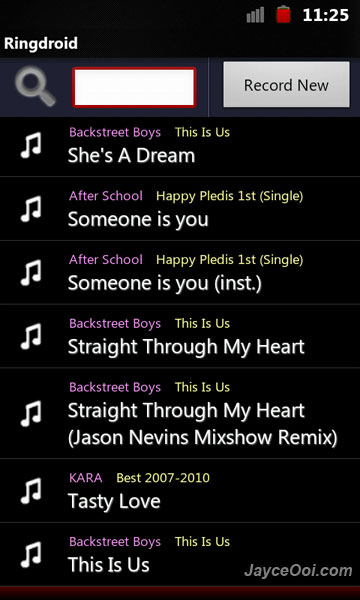
Ringdroid Features
- Open an existing audio file
- View a scrollable waveform representation of the audio file at 5 zoom levels
- Set starting and ending points for a clip within the audio file, using an optional touch interface
- Play the selected portion of the audio, including an indicator cursor and autoscrolling of the waveform
- Play anywhere else by tapping the screen
- Save the clipped audio as a new audio file and mark it as Music, Ringtone, Alarm, or Notification.
- Record a new audio clip to edit
- Delete audio (with confirmation alert)
- Launches automatically in response to the GET_CONTENT intent with a mime type of audio/ if any other application wants to pick an audio file – for example the “Rings Extended” application.
- Assign a ringtone directly to a contact.
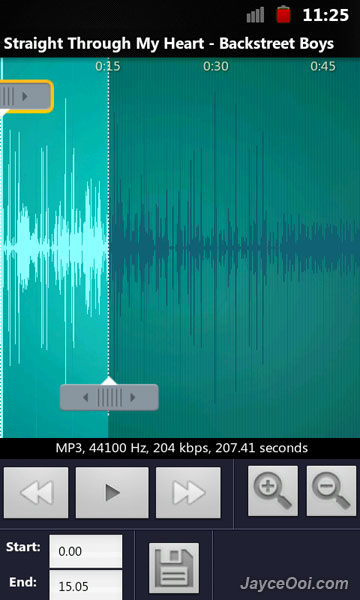
Just select your favorite MP3 music. Set the length then save it as ringtone, alarm, or notification sound. That’s it. Ringdroid will help you to create alarms, notifications, ringtones folders in SD card\media\audio and put those sounds there automatically. You can do so manually too.
Download Ringdroid v2.3 here or search for ‘Ringdroid’ in Android Market to download.










