










How to control your Android device from web browser? Webkey is one of the Android applications to do so. Here is another one ~ AirDroid. AirDroid is a free Android application that lets you manage and control your Android device from a web browser through Wi-Fi. It does not have live view of your Android phone like Webkey. But it does not require root access. And has much better web interface.
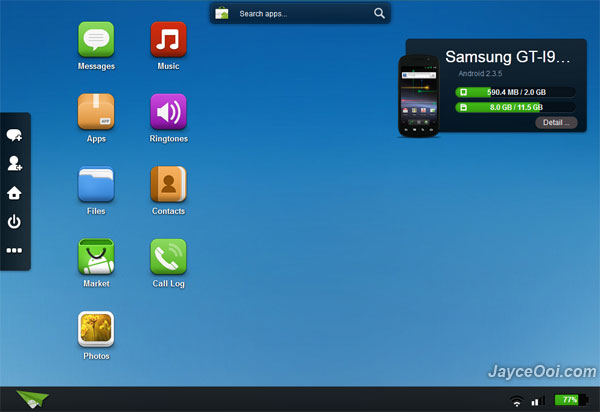
With AirDroid, you can access your Android device’s files, SMS, applications, photos, contacts, ringtones and music from web browser. And check device status, apps, files and tasks within AirDroid App. Everything look great except I have issue to access my messages from web browser on v1.0.2 beta. I like the feature to install Android application apk from PC. And the ability to backup application to PC in apk format. Of course, I do enjoy AirDroid other features too. Check out below video for some of AirDroid features.
Try AirDroid. You will love it, trust me…
Download AirDroid at Android Market here.










