Always face force close issue on your Amazon Kindle Fire? Screen frozen and unresponsive? Or forgot your Kindle Fire password? Look like it’s time to hard reset Kindle Fire. Or factory reset Kindle Fire is still cannot solve these issue. Factory reset will restore your Kindle Fire to factory default settings. Just like the very first time you switch on it. Therefore, all your contents like applications, data and settings will be deleted. Do take note on that…
How to hard reset Kindle Fire?
Hard reset
- Press and hold the power button for 20 seconds and then release.
- After Kindle Fire has completely turned off, press the power button to restart it.
- That’s it.
Factory reset
- Tap the Quick Settings icon, then tap More.
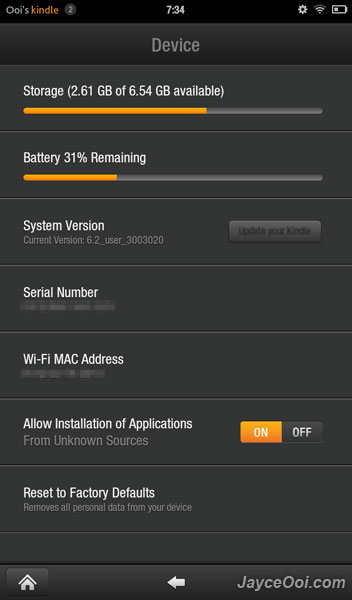
- Select Device.
- Click Reset to Factory Defaults ~ Removes all personal data from your device.
- That’s all.
Note – Hard reset is just force shutdown. It does not factory reset Kindle Fire. So your applications and data will still be intact.
Enjoy a new fresh start of your Kindle Fire.