27 Mar
Posted by Jayce Ooi as Software
Wish to own Sony Xperia S? You can have it (kinda) without purchase it. Because you can modify your Android phone to look like Sony Xperia S interface with Sony Xperia S Home Launcher, Widgets, Static and Live Wallpapers. Thanks to XDA Developer, ra3al. These Sony Xperia S Home Launcher, Widgets and Live Wallpaper are optimized for non-Xperia devices with screen resolutions like QVGA (240×320), HVGA (320×480), WVGA (480×800), FWVGA (480×854), qHD (540×960) and HD (720×1280). And they are workable in Android 2.3 Gingerbread and Android 4.0 ICS. What are you waiting for? Try them now…
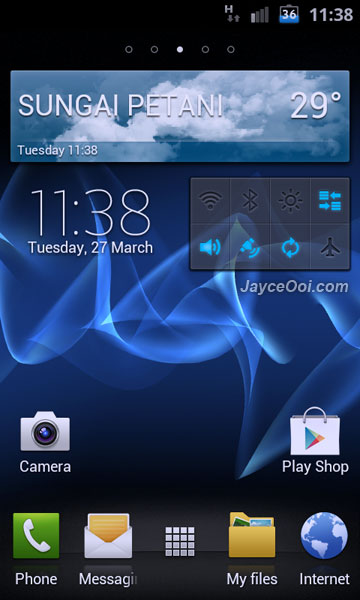
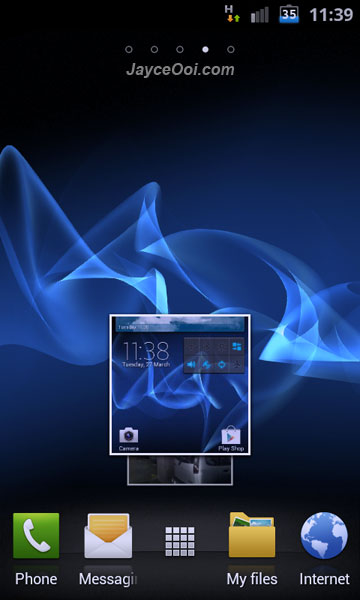
Sony Xperia S Home Launcher

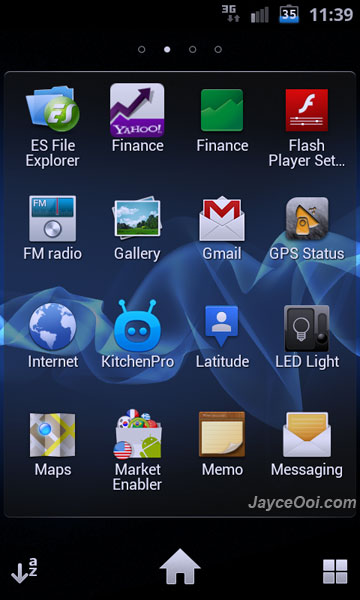
Sony Xperia S Drawer

Sony Xperia S PhotoWidget
Be sure to try all the goodies like Sony Xperia S Home Launcher, widgets like ClockWidgets, OnOffTools, PhotoWidget, WeatherWidget and WidgetPicker. Don’t forget to try Sony Xperia S static and Cosmic Flow Live Wallpaper too.
Download Sony Xperia S Home Launcher & Widgets here and Live Wallpaper here.

Tags: Android, Launcher, Live Wallpaper, Sony Xperia S, wallpaper, widget
Hey Jayce.. been trying this but not sure how to get started .. do i need some special launcher?
Thanks.
No need,just install XPERIA S Home apk and then install the widgets.
Thanks you.. got it.. but seems to be a problem for me.. no call or sms icons.. .. hmmm
Call and message icon is in application.Just press (hold) into it and drag it into a place you want to put.
What icons are you using? because I like that dock icons…
Dock icons are SGS2 stock icons.
Thank you, but I dont have sgs2. Can you please post a link with those dock icons? I cant find them…
Sorry, I don’t have them.
I run this program on my Samsung Galaxy S2 but when I get an e-mail or a new message, I don’ t get a 1 on the icon ( when I get one e-mail or one message ). How can I fix this problem?
Please consult XDA Developer, ra3al. I have no idea too. Sorry…