










There are only Power off, Airplane mode and Silent mode in power menu on Google Nexus 7. Therefore, I use Quick Boot (Reboot) application to reboot and load into recovery. But that’s not the best way. So Extended Power Menu for Nexus 7 comes to rescue…
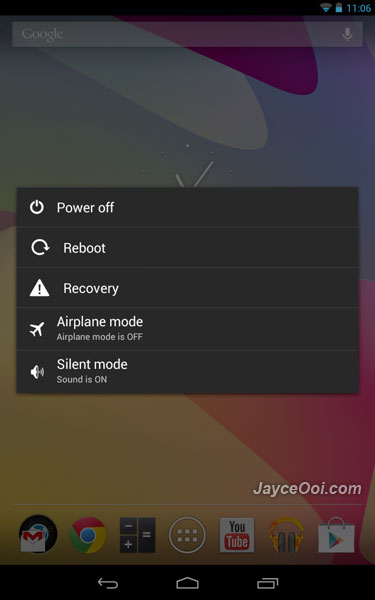
Yes, you can select Reboot and Recovery from power menu from now on. No need to launch Quick Boot application. Isn’t that better?
Note – Odexed is for stock ROM. Deodexed is for custom ROM.
Installation guide – How to install update zip on Nexus 7 with CWM? (Video)
Download Extended Power Menu for Nexus 7 here.











Hi Jayce
I m new user to Nexus 7 and very interested in Download Extended Power Menu for Nexus 7… however, i m really not very sure on rooting etc. Is there any other way of having Extended Power Menu without rooting? If no, pls show me the steps required. TQ
Hi Abdul Rahman, root access is needed. Please refer to the installation guide.