










Install Nexus 4 ADB and Fastboot drivers on PC (Windows XP, Vista, 7 or 8) is so easy with the help of Google Nexus 4 ToolKit. With a few clicks here and there by following the on-screen instructions, Nexus 4 ADB and Fastboot drivers will be installed automatically after connect Nexus 4 to PC.
Prerequisites
- Google Nexus 4 ToolKit
Download Google Nexus 4 ToolKit and install it. Then you are ready to install Nexus 4 drivers.

How to install Nexus 4 ADB and Fastboot drivers on Windows XP / Vista / 7 / 8?
- Launch Google Nexus 4 ToolKit.
- Type no and enter when prompt ~ Do you want to check if an Update is available [type yes or no]?
- Select your device version and build then.
- Type 1 and enter ~ 1. Install/Uninstall Google Nexus 4 Drivers on your PC.
- Follow the on-screen instructions to install.
- Note – Select ‘Install this driver software anyway’ when Windows Security prompted.
- That’s it.
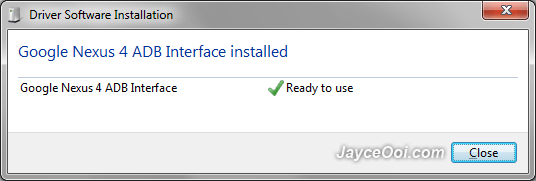
You should have Nexus 4 ADB and Fastboot drivers on PC now. Enable Nexus 4 USB debugging mode, then connect it to PC with USB cable. Nexus 4 ADB driver will be installed like below.
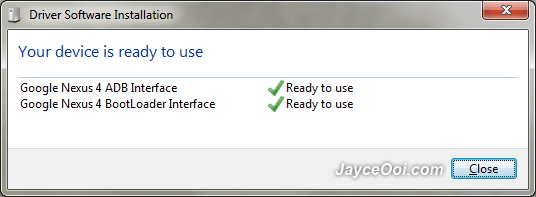
Same apply to fastboot driver, just load Nexus 4 Fastboot Mode and connect USB cable to PC. Google Nexus 4 BootLoader Interface driver will be installed.
Back to Google Nexus 4 ToolKit main page, your Nexus 4 serial number will be shown if drivers are installed properly.












jayce…carefull with the screen. Mine just break . repair Rm350 by LG. just minor scratch ..piak…
Thanks for the info, Winston. Will take good care of it.
Very useful, thank you very much! BTW I used Morobo for a less known device (PIPO S2), it can be useful as an alternative though its a far less elegant solution (you’ll need to have another program running with eclipse and it’ll install a pair of apps on your device).
Ooops I meant moborobo 😛
Still if you can find drivers, use them instead