










You can connect Amazon Kindle Fire to PC as a USB mass storage drive with no issue. Windows will install the correct USB driver for it. However, Kindle Fire does not provide USB Driver for Android Debug Bridge (adb) usage. So you need to install Kindle Fire adb USB Driver yourself in order to talk to Kindle Fire from PC. How to install Kindle Fire adb USB Driver? Just follow the step by step guide on Microsoft Windows 7 64 bits…
Tag: driver
How to install Kindle Fire adb USB driver? (Video)
How to install Amazon Kindle Fire adb USB driver? Kindle Fire adb USB driver is a must installed component if you want to root Kindle Fire, install TWRP 2.0 on Kindle Fire and talk to Kindle Fire from PC. However, Amazon does not provide Kindle Fire adb USB driver but just provide USB mass storage driver only. You can install Kindle Fire adb USB driver the hard old way here with Android SDK Development Environment. Or just install Kindle Fire adb USB driver the simple way by follow below step by step video guide on Windows 7. Then use Kindle Fire Utility to do other stuffs like rooting and install TWRP 2.0.
Download Samsung Android USB Driver for Windows
Want to transfer file between your Samsung Galaxy smartphone and Windows PC? You will need Samsung Android USB Driver for Windows then. Besides, you need that too if you plan to use Odin3 to root your Galaxy devices like Galaxy S6, Galaxy S6 Edge+ and Galaxy Note 5. Or install firmware on them. Well, your Windows should have these required USB drivers if you already install Samsung Kies. Else you can download Samsung USB Driver and install it directly. In short, these USB drivers mean for developers who developing on Windows and want to connect Samsung Android device to development environment over USB. But end users can use it also to enhance our Galaxy devices with Odin3…
Download Logitech Wireless Gamepad F710 Windows 8.1 Driver (X-Input)
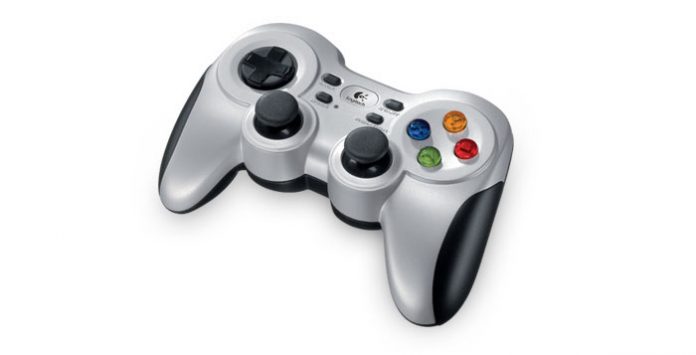
Hmm… How to solve Logitech Wireless Gamepad F710 on Windows 8.1 issue? My PC can’t seem to detect Logitech F710 correctly with X-Input mode even with official Logitech Gaming Software. No issue on D-Input mode though, run smoothly. Most of the PC Windows games support XBOX controller only. And F710 with X-Input mode is the only way to play them. Games can’t find F710 with D-Input mode as the controller. Well, you can use XBOX 360 controller emulator but that’s not the friendly way.
How to install Nexus 4 ADB & Fastboot drivers on Windows?
Install Nexus 4 ADB and Fastboot drivers on PC (Windows XP, Vista, 7 or 8) is so easy with the help of Google Nexus 4 ToolKit. With a few clicks here and there by following the on-screen instructions, Nexus 4 ADB and Fastboot drivers will be installed automatically after connect Nexus 4 to PC.
Prerequisites
- Google Nexus 4 ToolKit
Download Google Nexus 4 ToolKit and install it. Then you are ready to install Nexus 4 drivers.

Reviews

Armaggeddon Cosmic III Lite Review – One Budget Gaming Headset to...
Introduction
One gaming headset to rule them all! Yet a budget one too. Hey guys, meet Armaggeddon Cosmic III Lite. It is a versatile gaming...


News

Kingston Technology Joins Forces with the Upcoming Film Ghostbusters: Frozen Empire
Continuing its legacy of connecting people to fun, adventure and memories, Kingston Technology, a world leader in memory products and technology solutions, has teamed...



