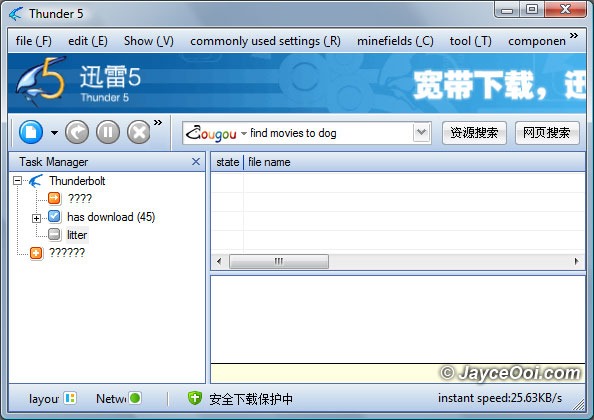
Download XunLei Thunder 5 no ads (ad free) version? There are some XunLei Thunder 5 ad free versions out there that mod by Ayu and HeHeHunter. Are you using one of them? My friend, CW remind me that I need to be careful when using this mod XunLei Thunder 5 no ads version. They might include spy ware or something harmful that not suppose in there. Anyway, I am not using anyone of them. But I still want to have ads free XunLei Thunder 5 version. What should I do? Create one for yourself…

My very own XunLei Thunder 5 no ads (ad free) version
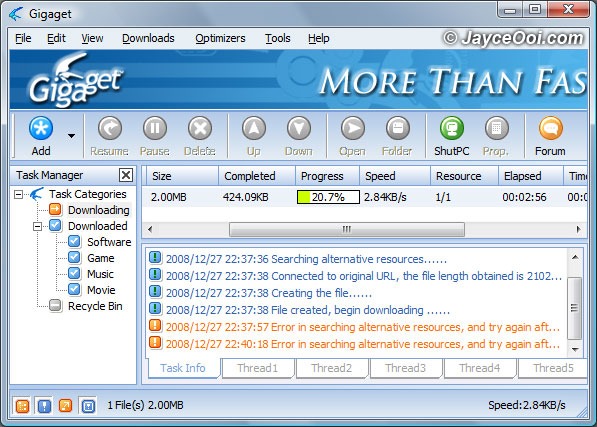
XunLei English / Thunder English 5 alternative == Gigaget? Gigaget is a download manager which utilizes cutting-edge Net Grid technology that improves your download speed by 7-10 times. This quote is taken from Gigaget website. Does Gigaget really will improve your download speed? Anyway, Gigaget does look alike XunLei / Thunder 5. And the best part is that it is in English. Therefore, you do not need English language pack like the way you use XunLei.

Gigaget in action
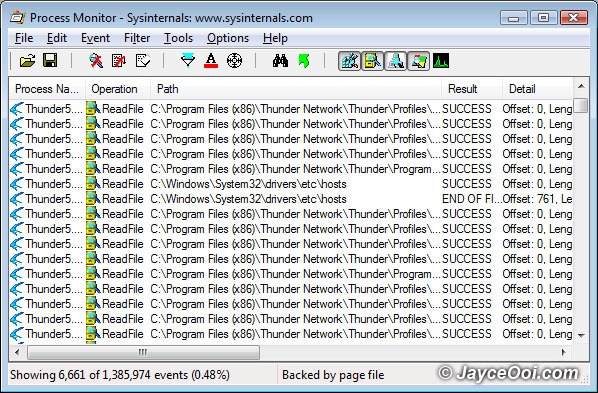
XunLei English / Thunder English 5 is sharing all your files? Is this true? I read one website mentions that. He is using Process Monitor software to track XunLei activities. He mentioned that XunLei was sharing his files in C:\Downloads folder. I am curious too. Therefore, I did my finding with Process Monitor too. Hmm… Is XunLei really sharing all my files?

Thunder / XunLei on Process Monitor
24 Dec
Posted by Jayce as Software
Thunder English, XunLei English 5 language pack installation guide. Yup, I have Thunder English Language Pack (XunLei English) already. But I don’t have a guide to install it. No worry, here come the Thunder English, XunLei English 5 language pack installation guide.
How to install Thunder English, Xunlei English 5 language pack:
1. Download 迅雷 (XunLei) Thunder 5 English Language Pack first.
2. Copy it to Thunder language folder. (Eg. C:\Program Files\Thunder Network\Thunder\Languages).
3. Start Thunder (XunLei).
4. Click the third option, ??(V).
5. Then Language and select English(US).
6. That’s it, no more steps.
Enjoy downloading…