







Yup, enjoy playing your favourite PS5 games will do. Waiting for the game to load is in the past now. All thanks to my newly added ORICO O7000 SSD. It is a 1TB PCIe 4.0 NVMe M.2 SSD. Able to read up to 7000MB/s and write up to 6500MB/s. Available in several capacities, ranging from 512GB to 4TB…
JMGO N1S 4K In-Depth Review – Everything You Need To Know Here!

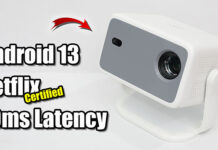
Bright and vivid 4K images with triple colour laser light source. Integrated gimbal design, mini size and weight at 2kg only. Official Google TV with certified Netflix for all your entertainment needs. Instant gimbal-like display correction with smart eye protection. Fast and smooth gaming with 14ms low latency. Interested? Let’s check it out…
Magcubic HY310 In-Depth Review – Everything You Need To Know Here!

Hello guys, meet Magcubic HY310 Mini Android Projector with 330 ANSI Lumens. Enjoy large screen in small room with 0.8 throw ratio. Useful auto focus, vertical keystone correction with 180° rotation stand. Miracast and AirPlay wireless screen mirroring are available for Android and iOS devices…
TP350 NTV In-Depth Review – Meet The New Budget LCD Projector King!!!

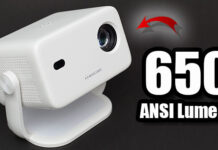
Android 13 Whale OS and certified Netflix with Full HD playback. Native 1080p resolution with 650 ANSI Lumens is suitable for both day and night. Useful auto focus, keystone correction, obstacle avoidance and screen fit. TV Casting wireless screen mirroring is available for both Android and iOS devices. A lot of free live TV channels all thanks to Whale TV. Perfect for game console like PS5 with 10ms latency only. Interested? Let’s find out more…
Armaggeddon Mirage VI Review – Budget yet Performing Tri-Mode Gaming Mouse!

Introduction
Hey guys, meet the latest Armaggeddon budget gaming mouse with tri-mode connection (USB-C wired, 2.4Ghz wireless and Bluetooth) – Mirage VI. It is loaded with FR2012 + 3325 advanced gaming chipset with 10,000 CPI. Fast charging with 600 mAh battery built-in. Lightweight at 93 grams. And you can’t miss the lovely RGB lighting effects. Working great? Let’s find out…
Reviews

Xiaomi TV Stick 4K 2nd Gen In-Depth Review – Meet My...
Certified Netflix streaming with 4K Dolby Vision and Atmos support. Fast and resourceful official Google TV 14 OS with many apps and games. A...