










15 Dec
Posted by Jayce Ooi as Software
Amazon Kindle Fire is not willing to leave behind. Yes, you can enjoy latest and fastest Android 4.2.1 Jelly Bean on Kindle Fire too. Thanks to XDA Developer, Hashcode. We can all install Android 4.2.1 Jelly bean ROM for the Kindle Fire which is based on AOSP source straight from Google. Enjoy the new features on Android 4.2 Jelly Bean like multiple users, keyboard with gesture typing, updated Google Now? Sorry, it does not replace the latest Nexus 7 or Nexus 10. As usual, new Android ROM is not perfect. Luckily, most of the stuffs are working fine like hardware acceleration, HD codecs (YouTube & Netflix), sound and basic features. For the rest non-working features, you have to wait for next Jelly Bean AOSP ROM for Kindle Fire release…
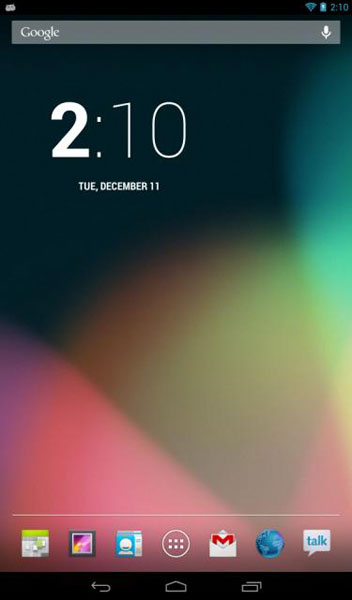
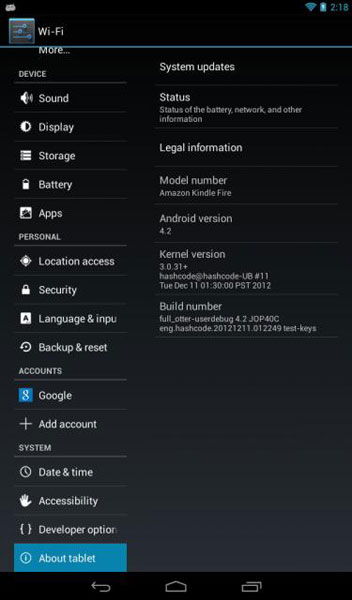
Android 4.2.1 Jelly Bean AOSP ROM for Kindle Fire

Software Information
Installation guide ~ How to install custom Android ROM on Kindle Fire with TWRP 2.0? (Video)
Download Android 4.2.1 Jelly Bean AOSP ROM for Kindle Fire here.

Tags: Android, AOSP, Hashcode, Jelly Bean, Kindle Fire, ROM
Hi Jaycee can we use Google voice in jellybean ROM in kindle fire after attaching headphones
It should be working.
Jayce, please do help me does CM10.1 ROM really don’t have the RADIO ?
and how can i get the original ROM for my SGS3 pls. i did not back it up. am sorry bro. please . thank You in advance
ill be Very Happy for your help .
God Bless
Huh? Are you talking about Kindle Fire or SGS3? Please ask at the correct article.
I see. Am sorry. It was the wrong article. I was asking about the ROM. And it does not have the radio . but thanks anyway bro.
hi jaycee this rom is not having usb connection option
Try other ROM then.
my kindle is not rebooting after flash can you help me?
It rebooted and optimized apps just didn’t proceed a head……….
Hi malik, try factory reset. If still cannot, revert back to your previous ROM.









