










Darktremor Apps2SD is an application that will help to move applications to store at SD card permanently. However, it is a script based program. So you need to know a little of scripting in order to use the advanced functions. But XDA Developer, elgubbo came out a GUI for Darktremor A2SD scripts ~ A2SDGUI.
A2SDGUI Features
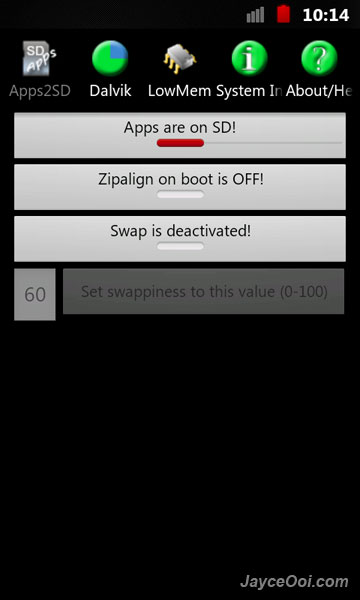
- Show where Apps are stored and Toggle from Internal to EXT
- Show if Zipalign runs on boot and Toggle
- Show if swap is activated and toggle
- Set swappiness
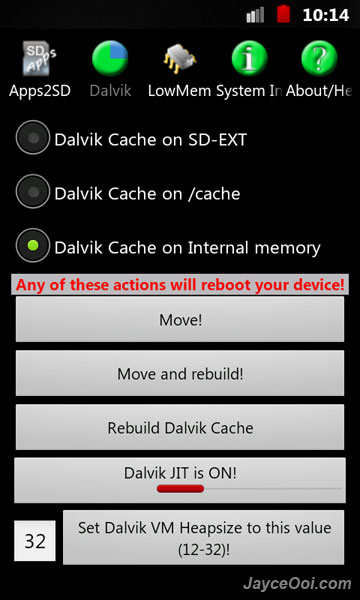
- Show where dalvik-cache is and move it
- Enable/Disable Dalvik JIT
- Set Dalvik Heapsize (for now only values between 12 and 32, i do not know if any values in this margin are good!)
- Set the internal Low Memory Killer to different levels (there also is an explanation included)
- German translation
- now checks for remaining space before moving Dalvik-Cache anywhere (error prevention)
- System Info Screen which shows: free/used ram, free/used swap, free/used internal memory, free/used sd-ext, free/used space on /cache/ (more things to come …)
- a2sd beta is supported now..
- Added (rudimentary) help menu with manual ability to check for updates.

Download A2SDGUI ~ GUI for Darktremor A2SD v0.8 here.











