Garmin Mobile XT is one of the great GPS navigation software for smartphones. It was designed for Palm, Symbian S60 (2nd & 3rd Edition) and Windows Mobile. Too bad that it was ‘discontinued’ and being replaced by Garmin nuvifone. No update since 15 April 2009. Anyway, I am going to try it on my HTC HD2. And it should be able to replace my worthy Garmin Nuvi 200W. With Garmin Mobile XT on HTC HD2, I don’t need to bring along Garmin Nuvi 200W to any travel in the future again.
In order to use Garmin Mobile XT, you need to have GPS enabled mobile phone in either Palm, Symbian S60 or Windows Mobile. I am going to cover step by step installation on Windows Mobile 6.5 as I don’t other 2 platform devices. Okay, how to install Garmin Mobile XT for Windows Mobile Phone?
Installing Garmin Mobile XT for Windows Mobile Phone
First of all, you need to download Garmin Mobile XT Navigation software from Garmin website. There are 3 files needed to be downloaded.
Garmin Mobile XT Navigation for Smartphones – link
Garmin Mobile XT Support Files software – link
Garmin Mobile XT Free Basemap software – link
After downloaded these files, connect your mobile phone to PC with Microsoft ActiveSync. Execute those files and install to your mobile phone. You can install them in Device or Storage Card. I selected storage card as installation path due to the files are not small. After install all three Garmin Mobile XT Navigation for Smartphones, Garmin Mobile XT Support files software and Garmin Mobile XT Free Basemap software. Disconnect your mobile phone from PC and let your mobile phone to run the new application installation process.
Installing GPS map to Garmin Mobile XT
A GPS device without maps installed is useless. Therefore, I headed to MalFreeMaps to download free weekly updated Malaysia GPS map. After download, run the map installation. Connect back your mobile phone to PC and copy the map gmapsupp.img file to Storage Card\Garmin folder. Well, that’s all. You are ready to use your Garmin Mobile XT on your Windows Mobile Phone.
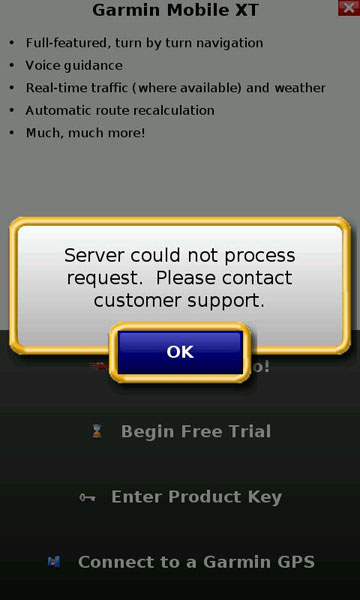
Arr… This is what I got when trying to use the free trial ~ “Server could not process request. Please contact customer support”. What should I do in order to test it? Search for Garmin Mobile XT crack and Garmin Mobile XT keygen like IMEI to UnitID Converter v1.0 and Garmin Keygen 1.5? Or buy Garmin Mobile XT directly at USD99.99?
Think no more. Buy Garmin Mobile XT here.