










Android 4.1.2 Jelly Bean had been out for weeks. However, not all Google Nexus 7 receive this OTA system update including mine. “Your system is up to date.” is what I get when check for System updates. Luckily, there is a way to force Nexus 7 Android 4.1.2 Jelly Bean OTA system update. Anything new in this Android 4.1.2 Jelly Bean system update for Nexus 7? Well, you get performance and stability improvements and bugs fixes. Landscape orientation rotation on Home screen (finally!). And updated bootloader which allow you to load recovery mode without connection to PC with USB cable…
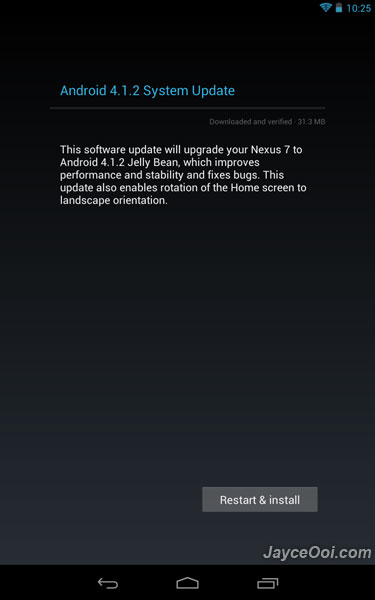
How to force Google Nexus 7 Android 4.1.2 Jelly Bean OTA system update?
- Go to Settings.
- Select Apps.
- Go to All tab.
- Select Google Services Framework.
- Click Clear data.
- Select OK when Delete app data? prompted.
- Go back to Settings.
- Select About tablet.
- Click on System updates.
- You should see ‘Last checked for update on 1/1/1970.’.
- Select Check now.
- That’s all.
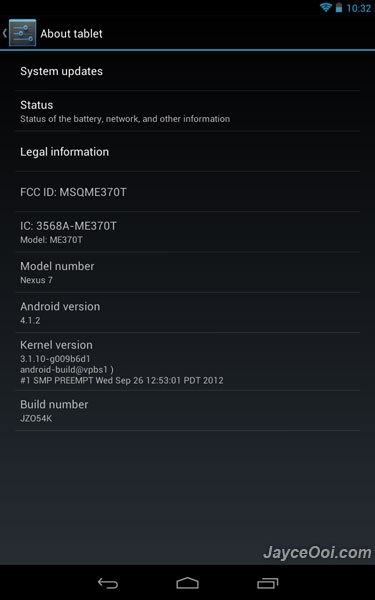
Nexus 7 should download Android 4.1.2 Jelly Bean OTA system update if everything went smoothly. Repeat above steps if still fail to get system update. Finally, enjoy Android 4.1.2 Jelly Bean new features on your Nexus 7…











