










Rejoice, movie lovers. Here is the latest stable version, LibreELEC (Krypton) v8.0.0 based on Kodi 17 for you and me. All WeTek devices like WeTek Play 2, Core and Hub are getting the goodies. LibreELEC is also called JeOS, which “Just Enough OS for Kodi”. Yup, it will turn your WeTek TV box into a fast, smooth and dedicated Kodi media player that focus on movies only. No other Android stuffs can be done in this way but you get maximum video smoothness and performance in return. The great news, you won’t lose your existing Android OS. LibreELEC can be installed on a micro SD card. And boot from there…
Android 7 Multi-Window
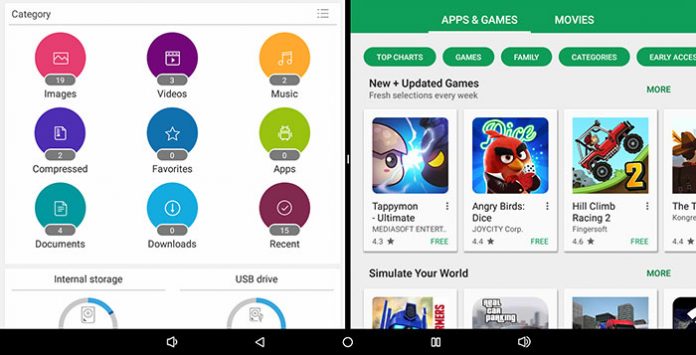
Multi-Window is not new to Android. Lot of Android smartphones and tablets already support this feature years ago. However, it is not natively supported until Android 7.0 Nougat. Yup, Android 7.0 supports Multi-Window with two apps can run side-by-side or one-above-the-other in split-screen mode on handheld devices. And picture-in-picture mode on TV devices like Android TV. This is a great feature for those who love to multi-tasking. Yup, you can enjoy your favourite movie while replying SMS on your mobile phone. Same apply to Android TV Box…
SD Card Formatter
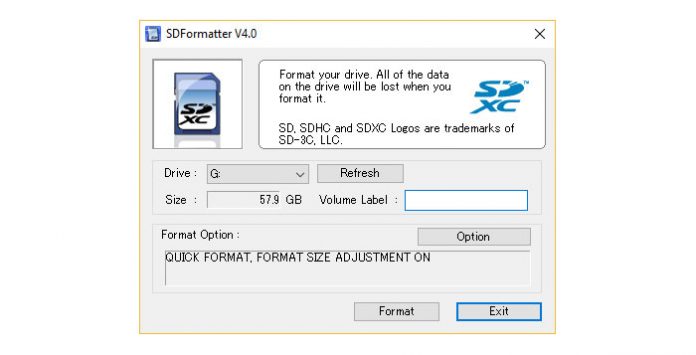
SD Card Formatter… What is that? Personally, I don’t know about it until I was facing slowness of my micro SD card. Yup, SD Card Formatter is a very helpful tool. It can solve transfer rate slowness and even recover corrupted & nonworking SD / SDHC / SDXC memory cards (work for CompactFlash CF card too). One question that you might ask – why can I use the formatting utilities in Windows or Mac OS? Yes, you can. However, the generic formatting utilities may result in less than optimal performance for your memory cards. Basically, SD Card Formatter will give you the best partition and file system (FAT32, exFAT or NTFS) based on your card.
Mobile Control APK for RKM MK22 Plus
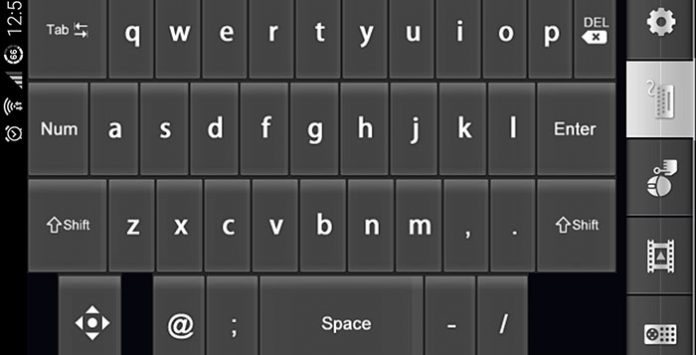
RKM MK22 Plus is a great Android TV Box that I love. All-rounder that perform well in almost every places but limited by useless IR remote with no mouse pointer. Haha… I was wrong. There is an Android application – RemoteIME to rectify this issue actually. But I did not know until lately. Lack of manual guide is the problem. Anyway, here is the Mobile Control APK for RKM MK22 Plus that I mentioned. Not sure that it will work on other Amlogic devices like S912 and S905X TV Boxes or not. Need to try it to find out…
WeOS 2.0.2 for WeTek Play 2 & Hub
I have no doubt of WeTek continuously support. Yes, the latest WeOS 2.0.2 update is available for WeTek Play 2 and WeTek Hub. WeTek Core will get it later… Well, this WeOS 2.0.2 update is mainly for bugs fixes and system’s improvement too. As usual, just go to WeUpdate app from My Apps. Then select “On-line Update” to get the latest update. For those getting “Sorry, we are having some issues at the moment. Please try again later”, you can always download WeOS 2.0.2 package and install it manually.
Reviews

Armaggeddon Cosmic III Lite Review – One Budget Gaming Headset to...
Introduction
One gaming headset to rule them all! Yet a budget one too. Hey guys, meet Armaggeddon Cosmic III Lite. It is a versatile gaming...


News

Kingston Technology Joins Forces with the Upcoming Film Ghostbusters: Frozen Empire
Continuing its legacy of connecting people to fun, adventure and memories, Kingston Technology, a world leader in memory products and technology solutions, has teamed...



