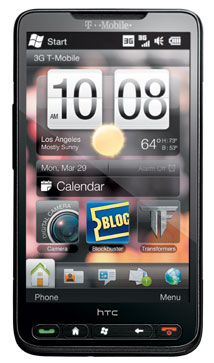
Yeah… The US folks can hand-on the famous Windows Mobile phone from HTC ~ T-Mobile HD2 at a very attractive price now. We in Asia and Europe paid more but had been playing with HTC HD2 for almost 6 months earlier. Such a great phone after you tweak and hack it. Below are the tweaks and hacks that I applied on my HTC HD2 (Asia version), but they should be able to apply on T-Mobile HD2 which have larger RAM and ROM too.
1. BsB Tweaks v1.6 is the top application you want to install on HTC HD2. It can tweak lot of stuffs like adding rotation support and add zoom support to any applications, enable/disable data connections, enable high glyph cache, graphics render for faster graphics, enable Wifi N to improve network throughput, decrease screen response sensitivity… By the way, BsB Tweaks v1.6 requires Microsoft .NET Compact Framework 3.5 to run it.
2. Co0kie’s Home Tab ~ enhancements to HTC Sense. It gives you 4 views on home tab, extended quick links (3×3, 4×4, 4×5 and 5×5) up to 3 pages (27, 48, 60 or 75 shortcuts), extended appointments, call history button, configurable links for Alarm, Calendar, Call History, Date, Weather and Clock… And its editor ~ CHTEditor is a must install along with it. Co0kie’s Home Tab will change the feel of Manila 2.5.
3. Touch X Taskmanager will make your life easier. You need to do several clicks in order to bring up the task manager in HTC HD2 (ROM v1.43). With Touch X Taskmanager, only 1 single click. It is useful to kill those unresponsive programs.
4. SRS WOW HD v1.5.1.0 for HTC HD2. SRS WOW is like a must have in audio world. With it, you can have immersive 3D audio, improved bass, elevated sound and high frequency clarity.
5. BattClock displays time, battery, date, free memory on taskbar. HTC HD2 does not have large capacity battery. So it is useful to see the battery life in percent at the taskbar. No worry on forget to charge it.
6. Windows Mobile Start Menu – 4 / 5 / 6 Items Wide. Don’t waste your HTC HD2 large 4.3″ screen by displaying 3 rows honeycomb items only. 4 rows are perfect for me. You can set up to 6 rows if you want.
7. Data connection on / off shortcuts like 3G / HSDPA data , Bluetooth, WiFi and soft reset. Just add them in home tab as shortcuts. 1 single click to turn on or turn off them.
8. Add Flash to Opera Mobile 9.5, 9.7. Opera Mobile 10 does not support pinch and zoom. So Opera Mobile 9.7 is still my cup of tea. Adding Adobe Flash Lite 3.1 into it will make it a wonderful browser in HTC HD2.
9. Swype v3.9 for HTC HD2. Yes. It is for HTC HD2 because T-Mobile HD2 already have it built-in. Swype v3.9 will make you type like superman.
10. Hide folders with pictures from HTC Album. By default, HTC Album shows all folders with pictures in the album list. Use PHM Registry Editor to edit the registry to hide those unwanted folders.
Any other must apply tweaks and hacks that I miss out? Let me know…
Check out Top 20 HTC HD2 Applications too.